The Virtual Assistants Fix Kit
Built for virtual assistants and remote admin pros.
A retainer is a flat fee for an agreed number of hours a month — not a description of what the work actually takes. This kit finds where the money leaks in your own work and gives you the steps and the words to close each one.
Opens secure checkout. Instant download after payment. 30 days to ask for a refund — refund policy · terms
The 7 leaks it covers
3 you can close it · 4 a pro decides
- Tool and subscription costs never totaled against the retainer rateWhere to look first: Go through the last three months of your bank and card statements.Keep it from coming back: Review subscriptions every quarter. Before you take a new client, ask which tools they require and price them in.You can close it
- Retainer hours worked far above hours paid — real hourly rate never computedWhere to look first: For one full month, log every hour you spend on each retainer client — including onboarding, meetings, messages and fixes.Keep it from coming back: Track time on every client every week. Put included hours and an overage rate in every retainer.You can close it
- Small retainer clients send no 1099 — income has no paper trailWhere to look first: Keep your own record of every payment from every client — date, client, amount — straight from your bank and payment app deposits.Keep it from coming back: Log every payment the week it comes in. Total by client every quarter.You can close it
- Retainer income treated as spendable before self-employment tax is set asideWhere to look first: This isn't money lost — it's money owed. Know that retainer income usually carries self-employment tax on top of income tax if you run it as a sole owner or partnership (your CPA confirms how it applies to your setup).Keep it from coming back: Set aside from every payment the day it arrives.A pro decides
- Retainer clients with no written contract — no state late-payment protectionWhere to look first: Check whether your state has a freelance worker law. New York State, New York City, Illinois and California have one; some other states and cities may too.Keep it from coming back: No new client starts work without a signed contract. Re-sign when the retainer changes.A pro decides
- One client controls hours, tools and methods like an employer — a classification questionWhere to look first: This isn't a dollar finding and we don't decide your status. For each client, write down: who sets your hours, whose tools and accounts you use, who decides how the work is done, and whether you work for others too.Keep it from coming back: Write how the work is done into each contract at the start. Revisit if a client starts setting your hours.A pro decides
- Admin work for a healthcare client with no signed Business Associate AgreementWhere to look first: List every client that is a doctor, clinic, therapist, dentist, or other healthcare provider.Keep it from coming back: Ask every new healthcare client for a Business Associate Agreement before you touch patient information.A pro decides
Free: one full leak from this kit
No sign-up, no email. Here is leak 1 of 7 exactly as it appears in the kit, so you can see what you get before you buy.
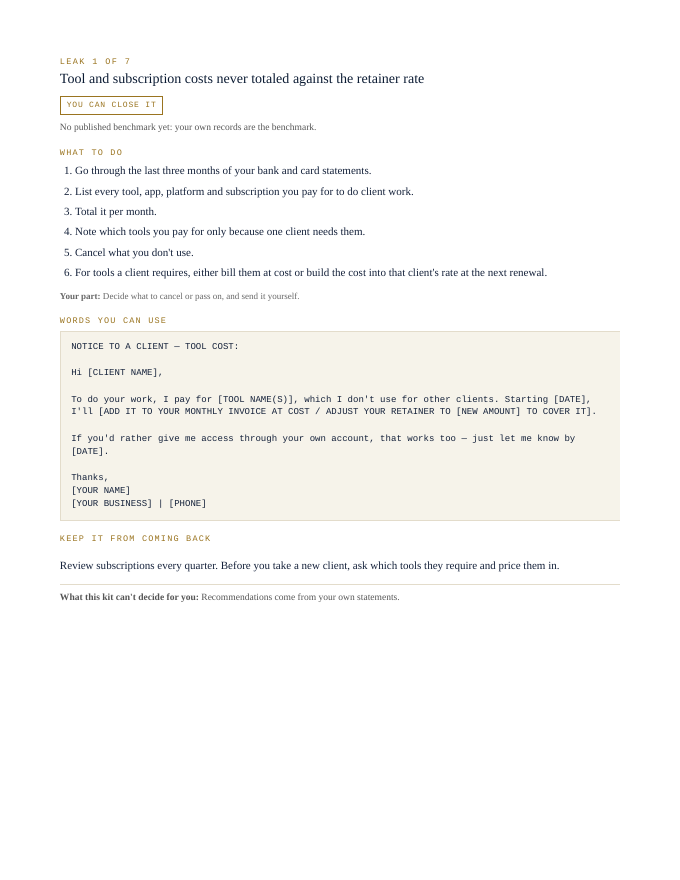
Tool and subscription costs never totaled against the retainer rate
You can close it- Go through the last three months of your bank and card statements.
- List every tool, app, platform and subscription you pay for to do client work.
- Total it per month.
- Note which tools you pay for only because one client needs them.
- Cancel what you don't use.
- For tools a client requires, either bill them at cost or build the cost into that client's rate at the next renewal.
Your part: Decide what to cancel or pass on, and send it yourself.
NOTICE TO A CLIENT — TOOL COST:

Hi [CLIENT NAME],

To do your work, I pay for [TOOL NAME(S)], which I don't use for other clients. Starting [DATE], I'll [ADD IT TO YOUR MONTHLY INVOICE AT COST / ADJUST YOUR RETAINER TO [NEW AMOUNT] TO COVER IT].

If you'd rather give me access through your own account, that works too — just let me know by [DATE].

Thanks,
[YOUR NAME]
[YOUR BUSINESS] | [PHONE]
Review subscriptions every quarter. Before you take a new client, ask which tools they require and price them in.
What this kit can't decide for you: Recommendations come from your own statements.
That's 1 of 7. The other 6 come the same way in the kit: steps, words to send, a habit to keep each one closed.
Opens secure checkout. Instant download after payment. 30 days to ask for a refund — refund policy · terms
What people in this work look up
When virtual assistants and admin pros go looking for answers, they search things like “how to start a virtual assistant business”, “virtual assistant business”, “virtual assistant pay”, “virtual assistant rates” and “virtual assistant pricing”. Those searches turn up forms, averages and other people's numbers. This kit starts from your own records instead: the 7 places money leaks in this work, where to look first and the words to send to close each one.
What you get for each leak
- Numbered steps to close each leak
- Your part, spelled out
- Words you can use: letters and scripts, ready to send (fill in the brackets)
- A habit that keeps each leak from coming back
- An honest line on what the kit can't decide for you
A page from the kit
Questions people ask
Am I working more retainer hours than I'm paid for?
Compute your real hourly rate against hours worked. The kit shows how.
Should my tools be in my retainer price?
Total them against the retainer rate. The kit shows how.
Do I need a written contract?
Without one you may lose state late-payment protection. The kit flags it.
What it can't decide for you
This kit works from your own records. It doesn't give legal, tax, licensing or financial advice, and it never tells you what to charge. Where a CPA, attorney, insurer or state board makes the call, the kit says so and gets your records ready for them.
11-page PDF · instant download after payment · Code VYR-KIT-ADA-01
Opens secure checkout. Instant download after payment. 30 days to ask for a refund — refund policy · terms
Use Jobber or Housecall Pro? Run the free leak check — it reads your job export in your browser and shows the money leaks the software doesn't flag. Nothing is uploaded.