The Online Stores Fix Kit
Built for online store owners (Shopify, dropship, print-on-demand).
An online store can show sales every day and still lose money, because the costs come out in small slices: a gateway fee on top of the processor fee, app subscriptions nobody uses, ads not tied to orders, returns and chargebacks, and tax that was never set aside. I wrote this kit so you can put every slice on one page from your own payout reports and fix the ones that are yours to fix.
Opens secure checkout. Instant download after payment. 30 days to ask for a refund — refund policy · terms
The 8 leaks it covers
5 you can close it · 2 the other side owes it · 1 a pro decides
- Paying an extra platform fee for using a third-party payment providerWhere to look first: Check which payment provider your Shopify store uses.Keep it from coming back: Re-check whenever you change plans or providers.You can close it
- International card fees never priced into international ordersWhere to look first: Run a report of orders paid with international cards.Keep it from coming back: Review international margin every quarter.You can close it
- App subscriptions nobody usesWhere to look first: Open your store's billing page and list every app charge.Keep it from coming back: Audit app charges every quarter.You can close it
- Dropship and print-on-demand margin figured before every costWhere to look first: Pick your best-selling products.Keep it from coming back: Re-run the sheet when a supplier changes prices.You can close it
- Ad spend never tied to the orders it brought inWhere to look first: Export ad spend by campaign for the last month.Keep it from coming back: Tag every campaign link so orders can be traced.You can close it
- Chargebacks lost because evidence was never sentWhere to look first: List every chargeback in the last six months, with reason and outcome.Keep it from coming back: Save tracking and customer messages to the order the day they happen.The other side owes it
- Supplier mistakes refunded to customers but never claimed back from the supplierWhere to look first: List refunds and reships in the last quarter caused by the supplier: wrong item, defect, late shipment.Keep it from coming back: Tag every refund with its cause the day it is issued.The other side owes it
- No tax set aside from money paid with nothing withheldWhere to look first: Write down which of your pay arrives with no tax taken out: store payouts.Keep it from coming back: Move the set-aside the day each payment lands. Put every estimated-tax date your preparer gives you on the calendar in January.A pro decides
Free: one full leak from this kit
No sign-up, no email. Here is leak 1 of 8 exactly as it appears in the kit, so you can see what you get before you buy.
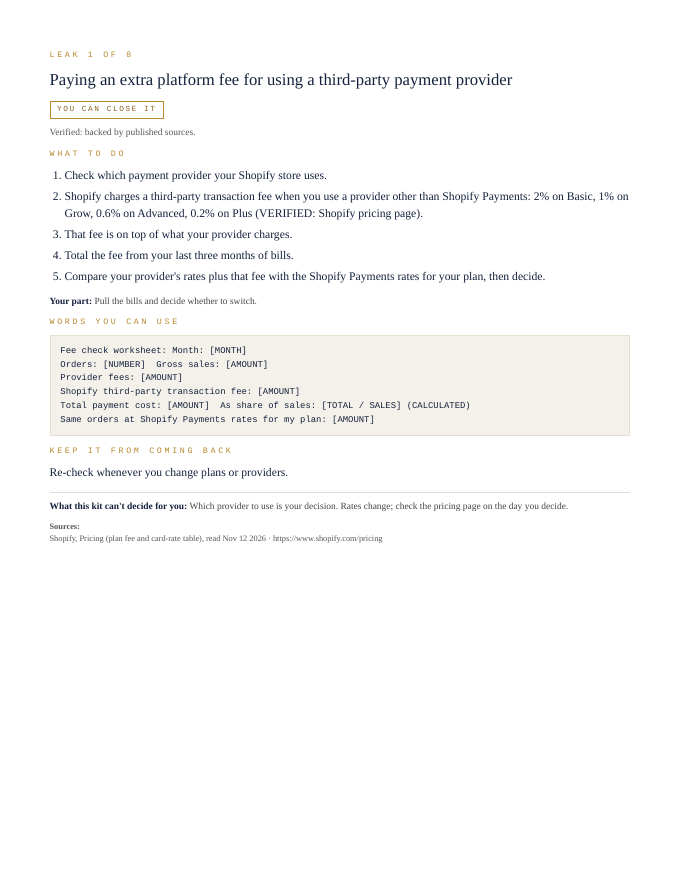
Paying an extra platform fee for using a third-party payment provider
You can close it- Check which payment provider your Shopify store uses.
- Shopify charges a third-party transaction fee when you use a provider other than Shopify Payments: 2% on Basic, 1% on Grow, 0.6% on Advanced, 0.2% on Plus (VERIFIED: Shopify pricing page).
- That fee is on top of what your provider charges.
- Total the fee from your last three months of bills.
- Compare your provider's rates plus that fee with the Shopify Payments rates for your plan, then decide.
Your part: Pull the bills and decide whether to switch.
Fee check worksheet:

Month: [MONTH]
Orders: [NUMBER]  Gross sales: [AMOUNT]
Provider fees: [AMOUNT]
Shopify third-party transaction fee: [AMOUNT]
Total payment cost: [AMOUNT]  As share of sales: [TOTAL / SALES] (CALCULATED)
Same orders at Shopify Payments rates for my plan: [AMOUNT]
Re-check whenever you change plans or providers.
What this kit can't decide for you: Which provider to use is your decision. Rates change; check the pricing page on the day you decide.
That's 1 of 8. The other 7 come the same way in the kit: steps, words to send, a habit to keep each one closed.
Opens secure checkout. Instant download after payment. 30 days to ask for a refund — refund policy · terms
What people in this work look up
When online store owners (Shopify, dropship, print-on-demand) go looking for answers, they search things like “shopify fees”, “dropshipping profit margin”, “print on demand profit” and “shopify transaction fees”. Those searches turn up forms, averages and other people's numbers. This kit starts from your own records instead: the 8 places money leaks in this work, where to look first and the words to send to close each one.
What you get for each leak
- Numbered steps to close each leak
- Your part, spelled out
- Words you can use: letters and scripts, ready to send (fill in the brackets)
- A habit that keeps each leak from coming back
- An honest line on what the kit can't decide for you
A page from the kit
Questions people ask
Paying an extra platform fee for using a third-party payment provider: where do I start?
Start here: Check which payment provider your Shopify store uses. To keep it from coming back: Re-check whenever you change plans or providers.
International card fees never priced into international orders: where do I start?
Start here: Run a report of orders paid with international cards. To keep it from coming back: Review international margin every quarter.
App subscriptions nobody uses: where do I start?
Start here: Open your store's billing page and list every app charge. To keep it from coming back: Audit app charges every quarter.
What it can't decide for you
This kit works from your own records. It doesn't give legal, tax, licensing or financial advice, and it never tells you what to charge. Where a CPA, attorney, insurer or state board makes the call, the kit says so and gets your records ready for them.
14-page PDF · instant download after payment · Code VYR-KIT-ESTORE-01
Opens secure checkout. Instant download after payment. 30 days to ask for a refund — refund policy · terms
Next step
- Run your free LeakReceipts check — it reads your own receipts and records and shows where money is leaking out, line by line.
- TrueNET — the whole-picture money truth: what you actually keep after every cost, across everything you earn and spend.
Use Jobber or Housecall Pro? Run the free leak check — it reads your job export in your browser and shows the money leaks the software doesn't flag. Nothing is uploaded.